

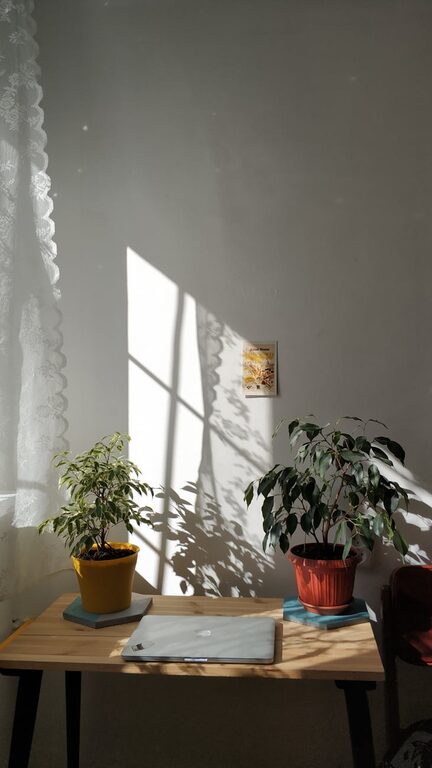
Creating a productive home workspace is essential for anyone balancing work responsibilities with the comfort of home life. A well-organized, comfortable environment can help improve focus, reduce distractions, and maintain motivation throughout the day. Whether you’re working remotely, running a small business, or managing personal projects, a functional home office setup is key to staying efficient and comfortable. This guide offers practical tips to help you design and organize a workspace that supports your productivity and well-being.
1. Choose the Right Location
Find a Quiet, Dedicated Space
Select a spot in your home that minimizes noise and interruptions. A dedicated room or corner away from busy household areas is ideal. This physical separation helps your brain associate the space with work mode, boosting concentration.
Maximize Natural Light
Position your desk near a window if possible. Natural light improves mood and reduces eye strain. Use curtains or blinds to control glare without blocking daylight.
2. Invest in Comfortable and Functional Furniture
Choose an Ergonomic Chair
Comfortable seating is crucial for long work hours. An ergonomic chair supports your lower back, encourages good posture, and reduces fatigue. Look for adjustable features to customize height and armrests.
Pick a Suitable Desk
Your desk should be large enough to hold your computer, accessories, and paperwork without feeling crowded. Consider adjustable desks if you want the option to alternate between sitting and standing.
3. Organize Your Work Tools Efficiently
Keep Essentials Within Reach
Arrange frequently used items like pens, notebooks, and devices close to you. Use desk organizers or drawer dividers to maintain order and prevent clutter.
Manage Cables Smartly
Tangled cables can distract and slow you down. Use cable clips, ties, or sleeves to neatly bundle cords and keep them out of sight.
4. Optimize Lighting for Comfort and Focus
Use Layered Lighting
Combine natural light with task lighting such as a desk lamp. Adjustable lamps with warm light reduce eye strain and help maintain focus during darker hours.
Avoid Screen Glare
Position your computer screen perpendicular to windows or light sources to minimize glare. Consider using an anti-glare screen protector if needed.
5. Personalize Your Workspace
Add Inspiring Elements
Incorporate items like plants, artwork, or motivational quotes to make your space inviting and mentally stimulating. Plants not only improve air quality but also create a calming atmosphere.
Maintain a Clean, Clutter-Free Desk
Regularly clean your workspace to keep it inviting. A tidy desk helps reduce distractions and promotes productivity.
6. Manage Noise and Distractions
Use Noise-Canceling Headphones
If outside noise is unavoidable, noise-canceling headphones can help maintain concentration by blocking distractions.
Set Boundaries with Family Members or Roommates
Communicate your work hours and workspace boundaries to others sharing your home. This helps minimize interruptions and sets expectations.
7. Incorporate Break-Friendly Features
Include a Break Area Nearby
If space allows, have a comfortable chair or small area to step away from your desk during breaks. Brief rest periods improve overall focus and prevent burnout.
Use Timers or Apps to Schedule Breaks
Tools like the Pomodoro timer encourage regular breaks, balancing productivity with rest.
8. Keep Technology Up to Date and Organized
Streamline Your Devices
Use only the technology you need. Having too many gadgets or apps can complicate your workflow.
Back Up Important Data Regularly
Ensure your work is safe by setting up automatic backups and keeping your software updated for security and efficiency.
Conclusion
Organizing a productive home workspace is about creating an environment where focus and comfort coexist. By choosing the right location, investing in ergonomic furniture, managing lighting and noise, and keeping your space personalized yet uncluttered, you can set yourself up for success. Small adjustments to your workspace can make a big difference in your daily productivity and overall job satisfaction, making working from home a more enjoyable and efficient experience.